
Flight Detail Inspection Drawer
Deep-dive flight inspector with telemetry charts, map track, bookmarks, and tag editor.
4 min readUpdated October 2026
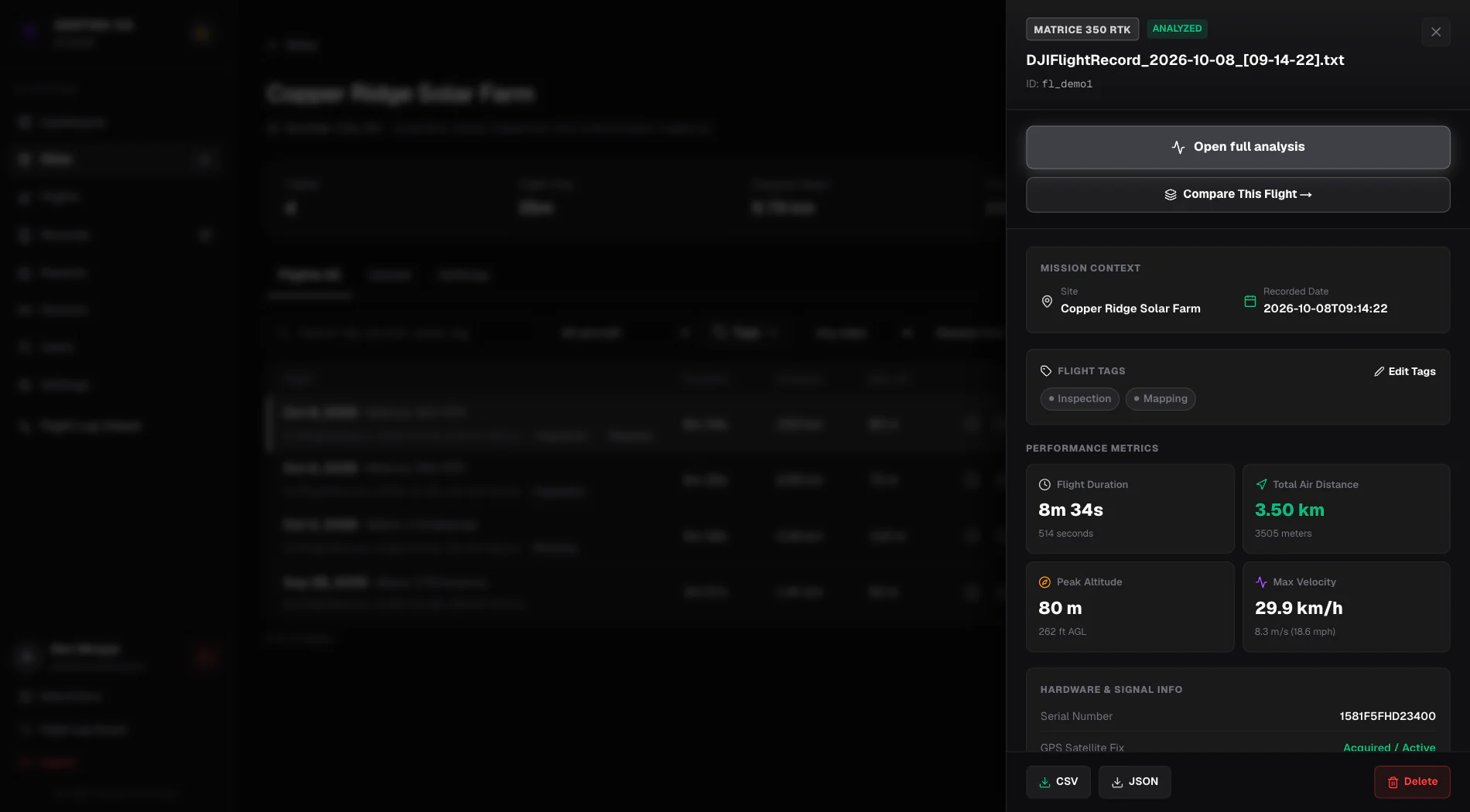
Inspection Drawer Architecture#
Clicking the Inspect (Eye) icon on any flight row opens a high-fidelity slide-out drawer without leaving the flights table.
The inspection drawer includes:
Interactive Map Snapshot: 2D track overview with takeoff (H), landing, and maximum altitude waypoint markers.
Flight Identity Metadata: Aircraft model, serial number, firmware version, pilot callsign, and upload timestamp.
Tag Management Widget: Real-time tag assignment and removal.
Mission Annotations: Add timestamped incident notes and pilot debrief bookmarks.
Telemetry Summary & Peak Statistics#
The drawer displays calculated flight parameters:
Flight Duration: Total air time formatted as
MM:SS.Total Distance: Geodesic flight path length in meters or feet.
Maximum Altitude: Peak AGL altitude reached.
Maximum Horizontal Velocity: Peak speed in m/s, km/h, or mph.
Battery Drain: Initial battery % vs final landing battery %, with discharge rate curve.
GPS Satellite Count: Average and minimum lock quality.
Direct Actions & Exports#
From the bottom of the drawer, operators can:
Launch full-screen 3D Mission Replay
Generate a formal PDF Compliance Report
Download the raw original flight log file