
Every flight log,
organised by site.
Upload DJI and Litchi flight logs from every job, keep them grouped by location, and review routes, altitude, battery and warnings — all in the browser.
Sign in with Google. No software to install.
How it works
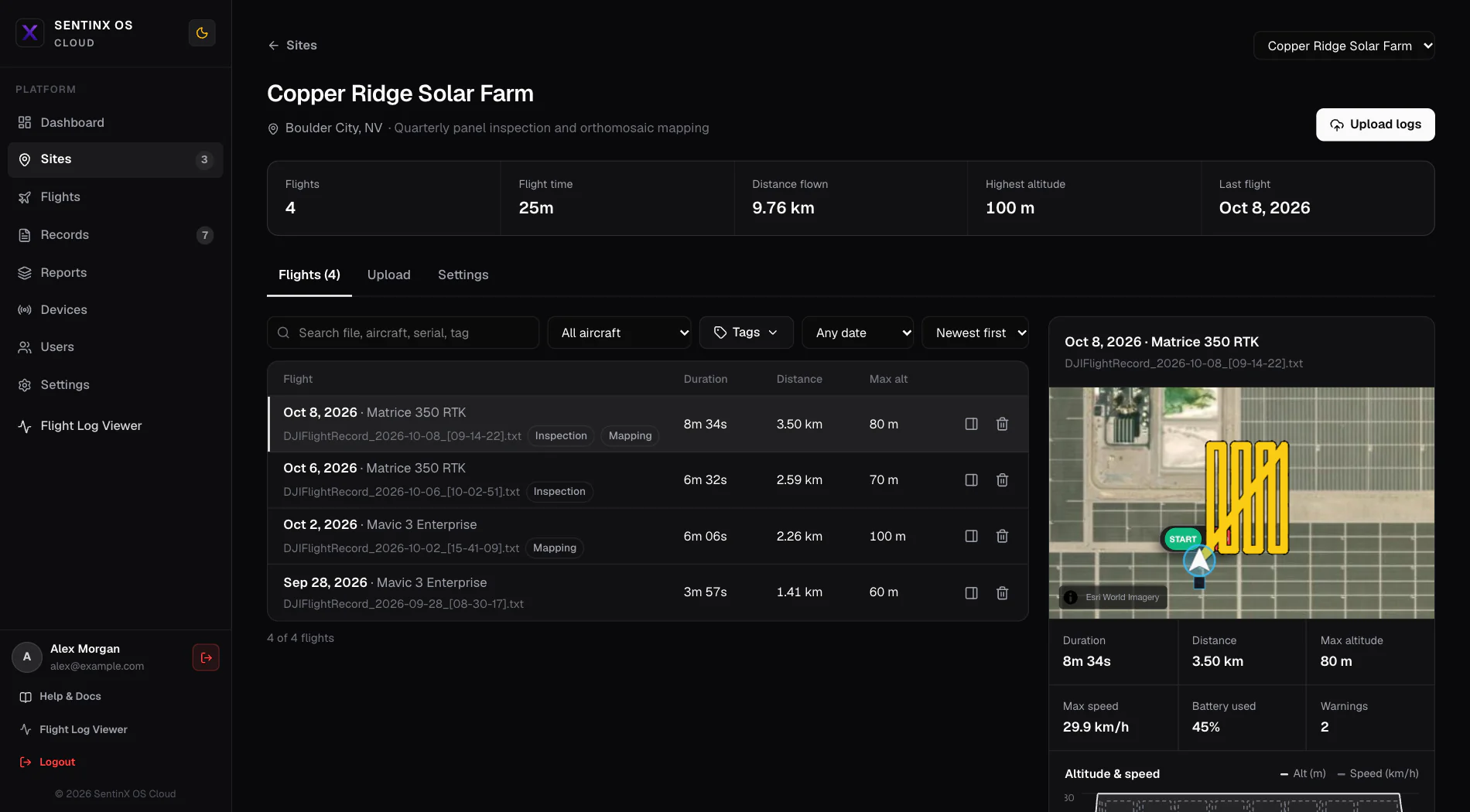
Create a site
One site per location — a solar farm, a substation, a bridge. Add a location and notes.
Upload logs
Drop a batch of DJI .txt or Litchi/CSV logs. Each file is parsed, mapped and filed under the site.
Review & analyse
Check each flight's route, altitude and battery, then compare, replay or export a report.
Overview
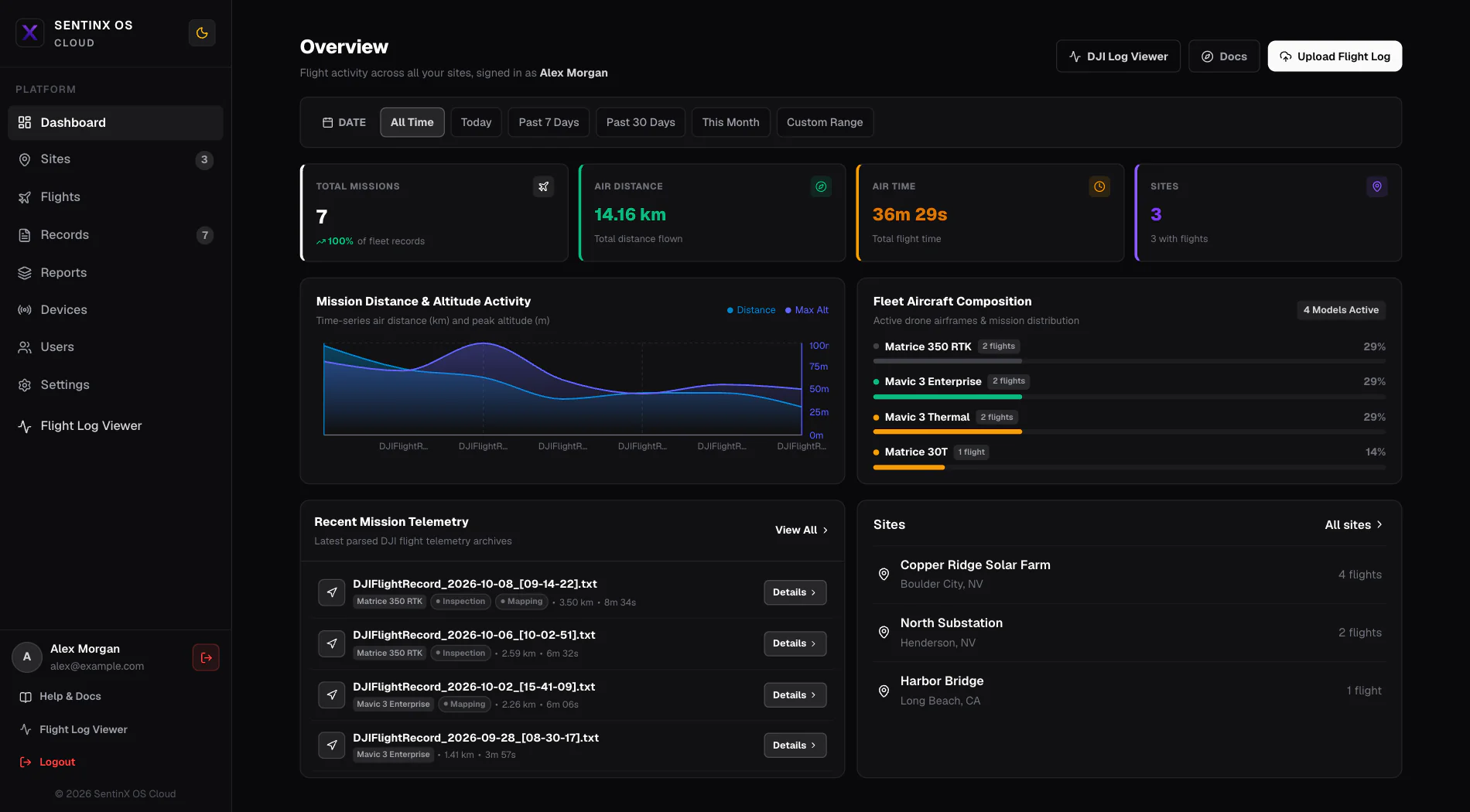
Every site and flight at a glance
Total flights, distance and air time across your operation, the aircraft you fly most, and the sites that were flown most recently.
Upload
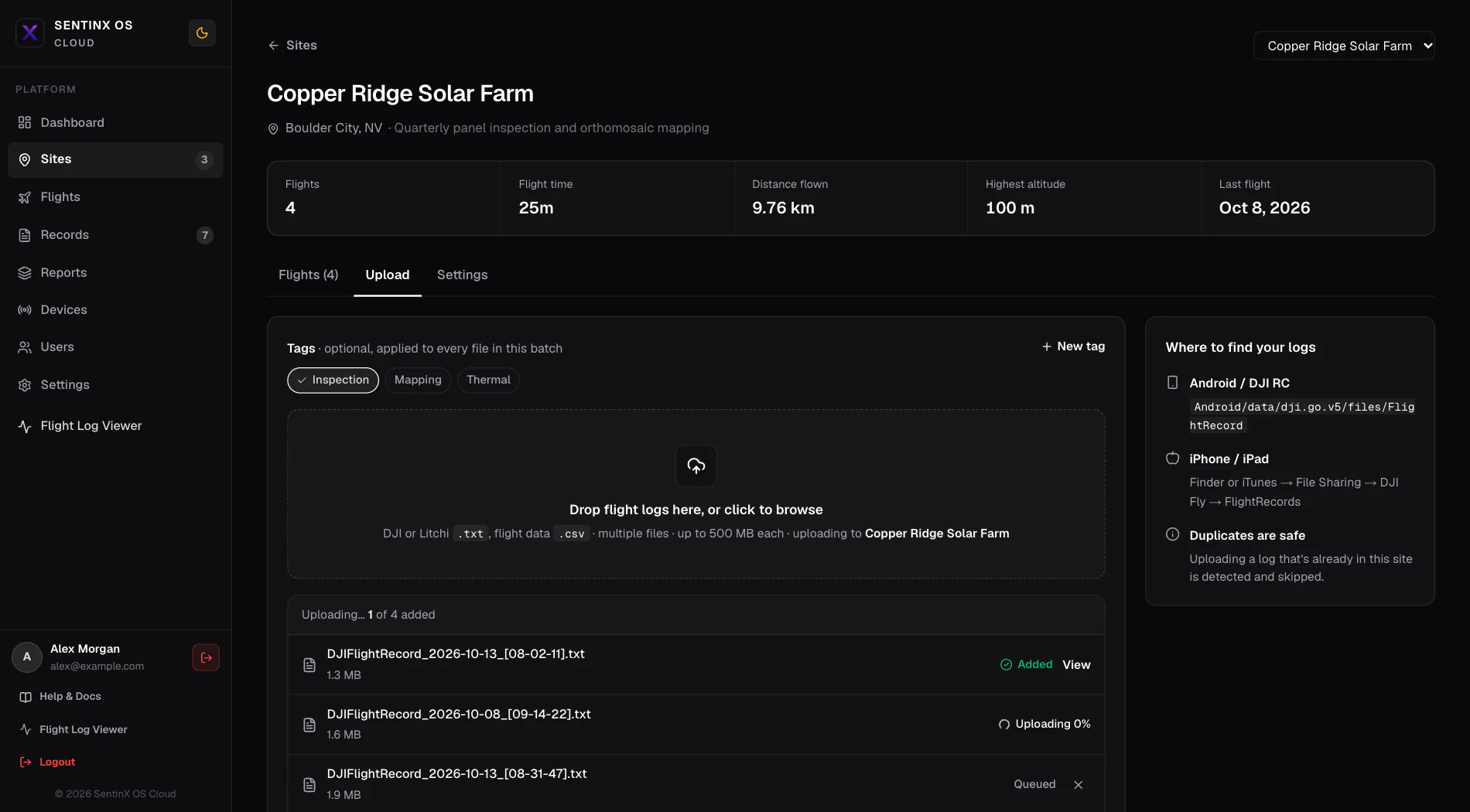
Upload a whole day's logs at once
Select or drop multiple files and watch each one upload and get analysed. Tags apply to the whole batch, and logs that are already in the site are detected and skipped.
Flight review
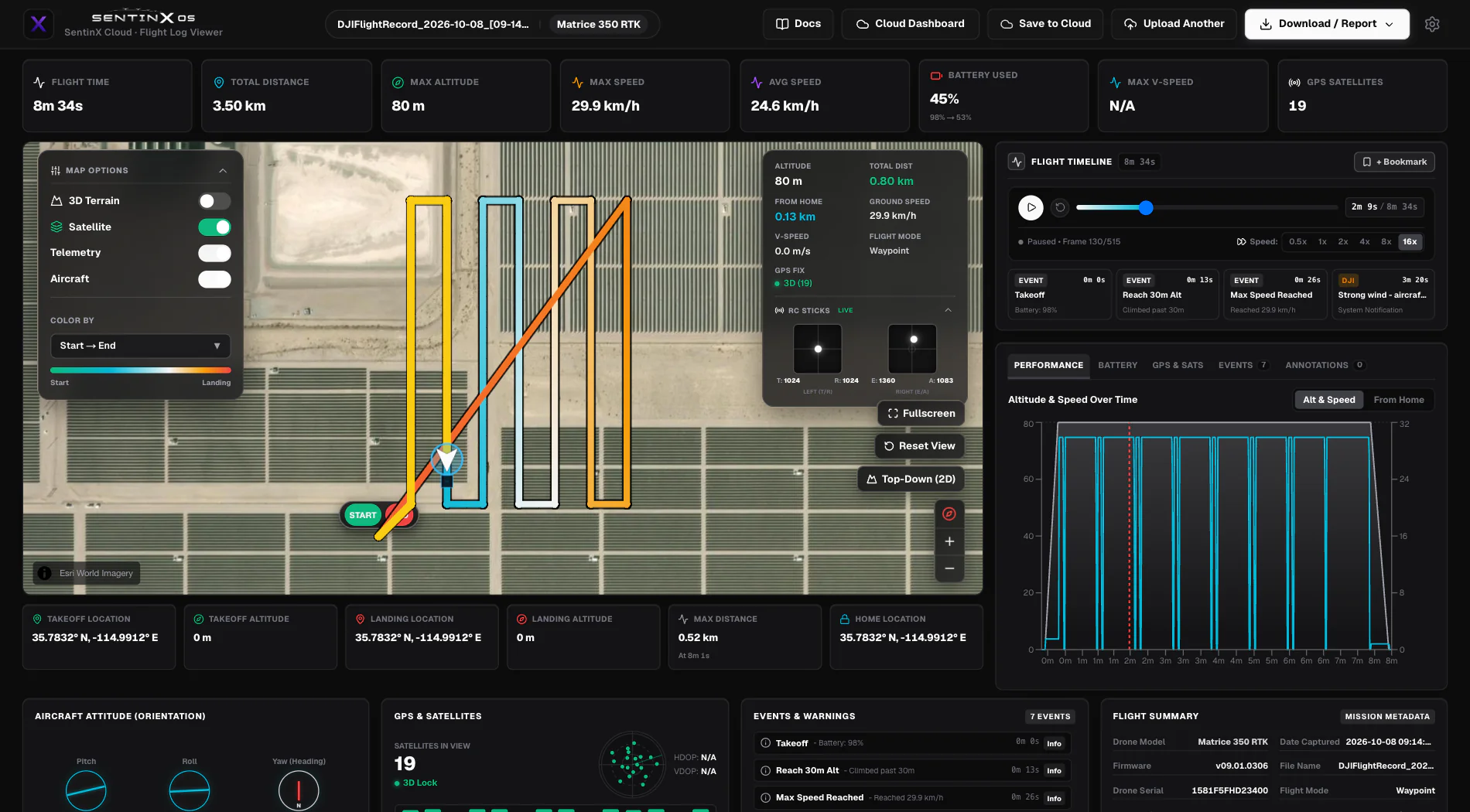
A complete picture of each flight
Pick a flight from the site list to see its route on satellite imagery, key figures and the altitude/speed profile. Open it in the full viewer for playback, the attitude HUD, RC sticks and event log.
Records
Find any flight in seconds
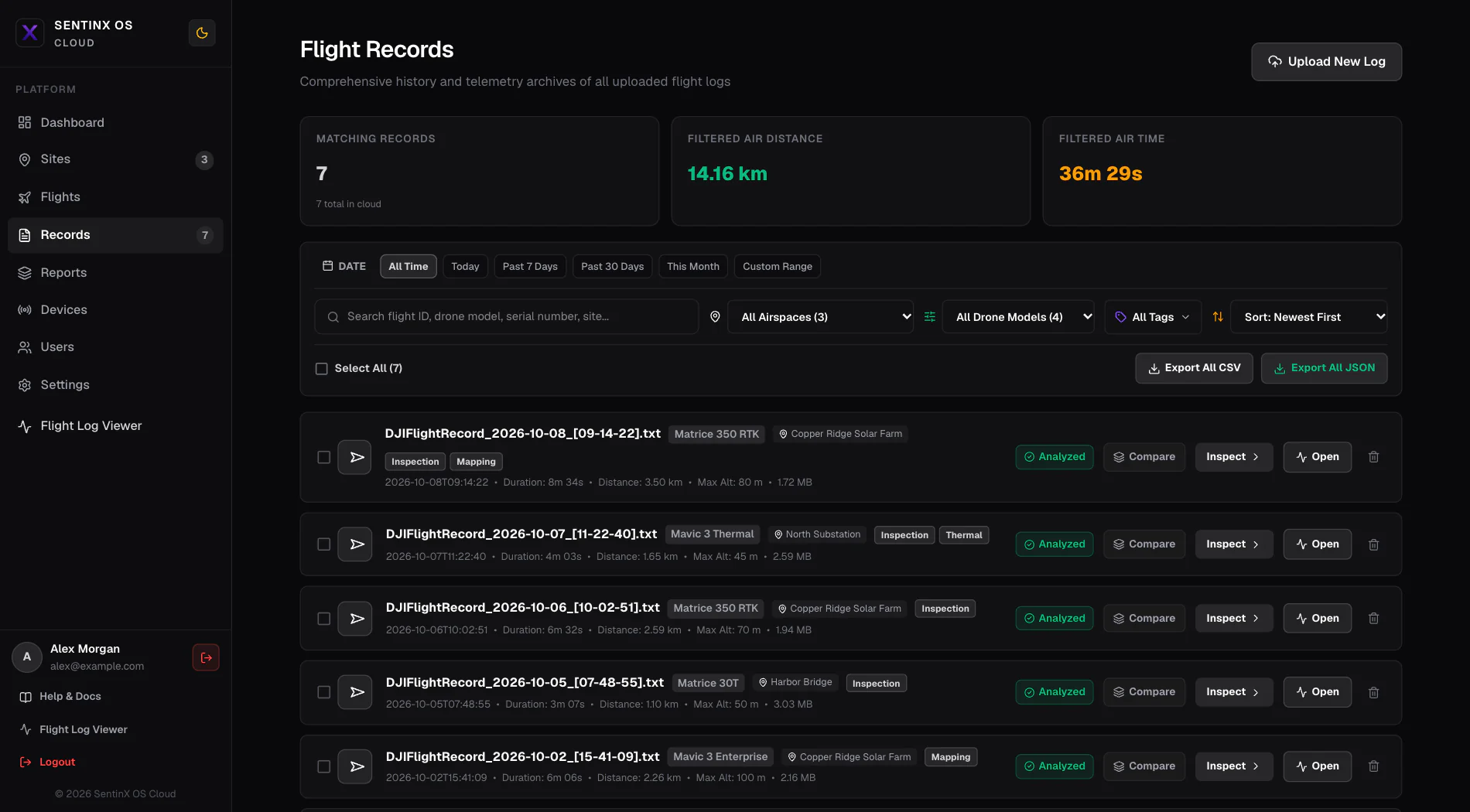
Search every flight across all sites by file name, aircraft, serial number or tag. Filter by date, site and model, then export the results as CSV or JSON.
Compare & replay
Put flights side by side
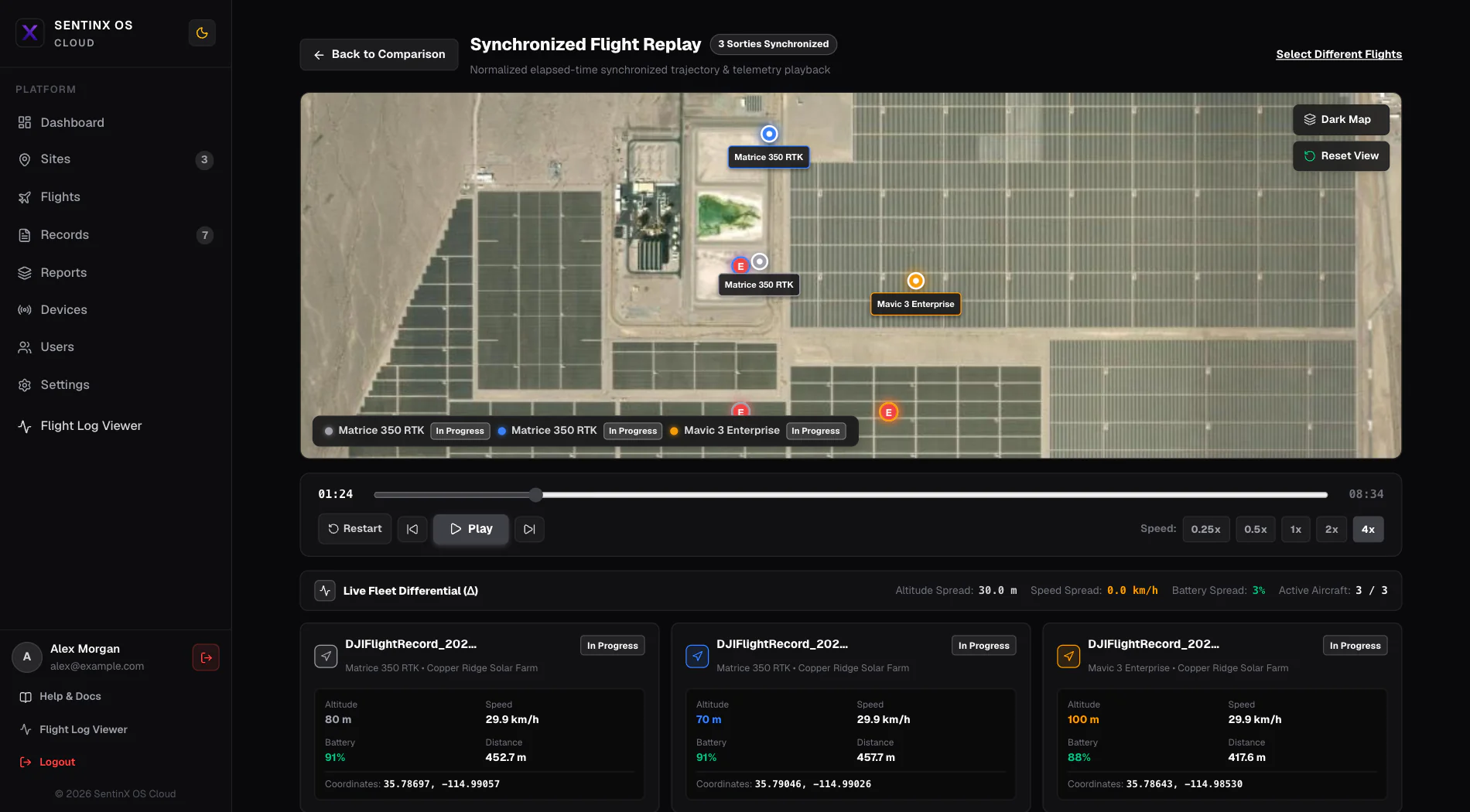
Select two to four flights to compare their metrics, altitude, speed and battery curves on a shared timeline — or replay them together on one map.
Reports
Reports ready to share
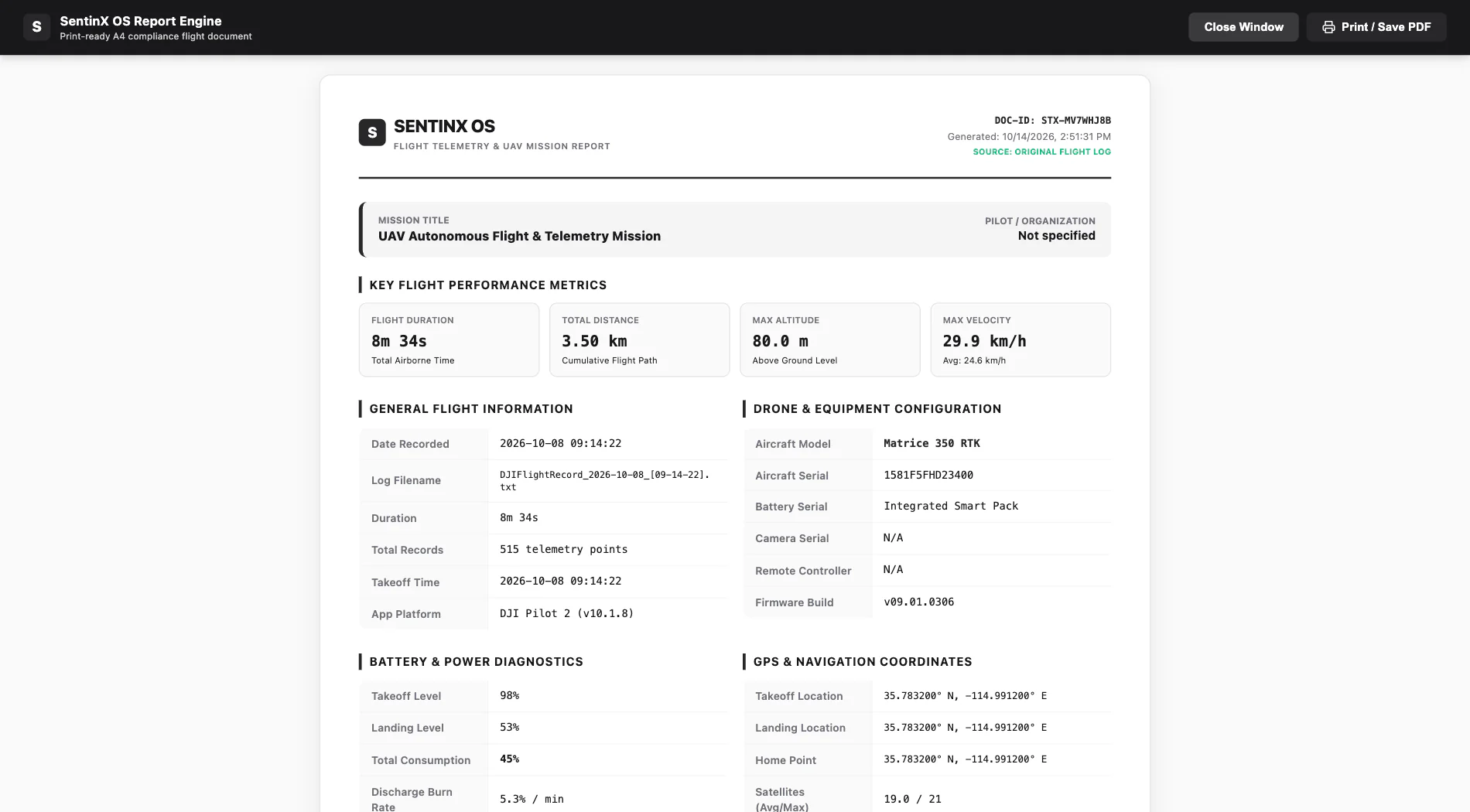
Print a summary of every analysed flight, or generate a detailed per-flight PDF with the route map, sensor charts, battery figures and your annotations.
And the details that save time
Tags
Label flights by job type and filter by them anywhere.
Annotations
Pin notes to a moment in a flight; they're saved with it.
Duplicate detection
Re-uploading the same log never creates a second copy.
CSV & JSON export
Take raw telemetry or flight summaries into other tools.
Metric or imperial
Switch units across the viewer and reports.
Search everything
Files, aircraft, serials, tags and sites in one search box.
Flight Log Viewer or SentinX Cloud?
Use the free viewer to check a single log. Use Cloud to keep every flight, per site, in one place.
| Log Viewer | Cloud | |
|---|---|---|
| Open DJI .txt and Litchi/CSV logs | ||
| Route map, telemetry HUD and charts | ||
| PDF flight report | ||
| No account needed | ||
| Logs stored and organised by site | ||
| Batch upload | ||
| Search, filter and export across all flights | ||
| Compare and replay multiple flights | ||
| Tags and saved annotations |
Bring your flight logs together
Create a site and upload your first batch of logs in a couple of minutes.